How to Reconcile M-Pesa Rent Payments Without Losing Your Mind
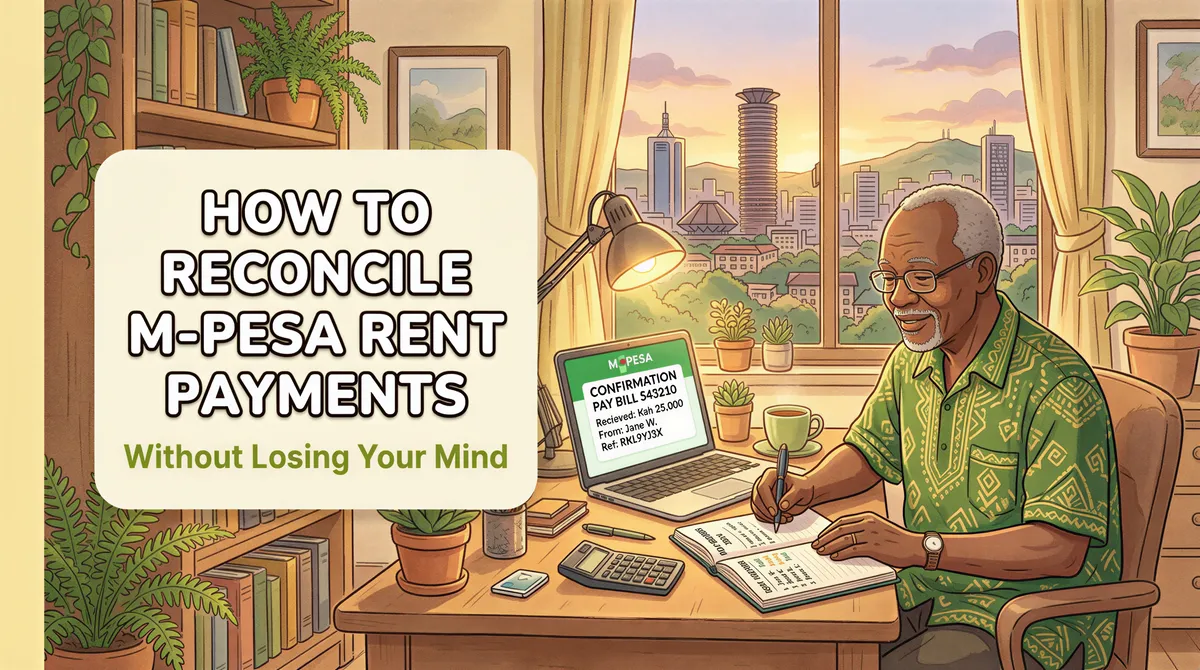
It's the 7th of the month. Rent was due on the 5th.
You've received 23 M-Pesa messages. Your notebook says you have 30 tenants. That's 7 who haven't paid... right?
But wait. Two messages are from your mum. One is a refund from Jumia. And three tenants sent from different numbers than usual.
Now you're not sure who's paid and who's hiding.
Welcome to the M-Pesa reconciliation nightmare.
Table of Contents
- Why Reconciliation is Hard
- The Manual System (That Actually Works)
- Time Required (Manual System)
- Common Mistakes in Manual Reconciliation
- Pay Bill: A Better Starting Point
- Automating Reconciliation
- Choosing Your Approach
- Setting Up for Success
- When Reconciliation Reveals Problems
- Sample Monthly Reconciliation Checklist
- The Bottom Line
Why Reconciliation is Hard
M-Pesa wasn't built for landlords. It's a mobile money system, not a rent management tool.
The challenges:
1. Name mismatches Tenant's name: "John Kamau Mwangi" M-Pesa name: "JOHN K."
Which unit is that? You have three Johns.
2. Multiple phone numbers Tenant registered with 0722-XXX-XXX. Paid from 0733-XXX-XXX (wife's phone). M-Pesa shows a different name.
3. Partial payments Rent is KES 25,000. Tenant sent KES 15,000 on the 5th and KES 10,000 on the 10th. You need to track both.
4. Personal M-Pesa mixed in Your personal and rent money in one account. Separating them takes time.
5. Timing gaps Statement shows 30 transactions. You need to know which 23 are rent — and for which month.
No wonder landlords dread the 5th.

The Manual System (That Actually Works)
If you're going to reconcile manually, do it right. Here's a system:
Step 1: Download Your M-Pesa Statement
Don't rely on SMS messages. Get the official statement.
- Dial *334#
- Select "M-Pesa Statement"
- Request for the month
- Receive PDF via email
This gives you every transaction with timestamps, names, and reference numbers.
Step 2: Create a Rent Tracking Sheet
Set up a spreadsheet with:
| Unit | Tenant Name | Phone 1 | Phone 2 | Rent Due | Paid | Balance | Date Paid | Notes |
|---|---|---|---|---|---|---|---|---|
| A1 | John Kamau | 0722... | 0733... | 25,000 | 0 | 25,000 |
Include alternate phone numbers. Tenants don't always pay from the same number.
Step 3: Match Payments to Tenants
Go through your M-Pesa statement line by line:
- Check the phone number — does it match any tenant?
- Check the name — partial match?
- Check the amount — matches expected rent?
Mark each payment in your spreadsheet.
Step 4: Handle Ambiguous Payments
For payments you can't match:
- Call the number directly: "Hi, this is your landlord. I received a payment of KES X from this number. Can you confirm your unit?"
- Check previous months — have they paid from this number before?
- Ask the tenant to send screenshot of confirmation
Step 5: Update Balances
After matching all payments:
- Update paid amounts
- Calculate remaining balances
- Flag tenants with arrears
Step 6: Follow Up on Missing Payments
Send reminders to tenants with balances. Keep records of when you followed up.
Step 5: Update Balances
(See Step 5 above.)
Step 6: Follow Up on Missing Payments
(See Step 6 above.)
Time Required (Manual System)
For 30 units:
- Download statement: 5 minutes
- Match payments: 45-90 minutes
- Handle ambiguous cases: 15-30 minutes
- Update spreadsheet: 15 minutes
- Follow up: 30+ minutes
Total: 2-3 hours per month
Multiply by 12 months = 24-36 hours per year. Just on reconciliation.
Common Mistakes in Manual Reconciliation
1. Relying on SMS instead of statements SMS can get deleted, arrive late, or miss transactions. Always use official statements.
2. Not recording alternate phone numbers First time a tenant pays from a new number, add it to your records. Future payments will match.
3. Processing too late Wait until the 15th to reconcile? You've lost valuable follow-up time. Reconcile on the 6th or 7th.
4. Not noting partial payments Tenant sends KES 10,000 of KES 25,000 rent. If you don't record it, you'll think they owe full rent.
5. Mixing months A tenant pays late on the 8th. Is that for this month or catching up on last month? Always clarify and record.
Pay Bill: A Better Starting Point
Using Pay Bill instead of personal M-Pesa helps significantly.
Why? The account reference field.
Tenants enter their unit number when paying:
- Pay Bill: 123456
- Account: A1 (or whatever format you set)
Now your statement shows:
- Phone: 0722XXXXXX
- Name: JOHN K
- Account: A1
- Amount: 25,000
No guessing. Unit A1 paid. Done.
If you're still using personal M-Pesa, consider switching to Pay Bill.
Automating Reconciliation
Manual systems work. But they don't scale.
At 50+ units, you need automation.
Here's what rent management software does:
1. Connects to your Pay Bill or bank account
Pulls transactions automatically. No downloading statements.
2. Matches payments to tenants
Using:
- Account reference (Pay Bill)
- Phone number
- Amount + timing
Most payments match automatically.
3. Flags exceptions
Payments that don't auto-match are flagged for your review. Instead of checking 50 payments, you check 3.
4. Updates balances in real-time
Dashboard shows who's paid, who's partial, who's overdue. No spreadsheet formulas.
5. Sends reminders
Automatic SMS or WhatsApp when rent is due or overdue.
6. Generates reports
KRA tax reports, monthly income summaries, tenant payment history — all generated, not manually compiled.
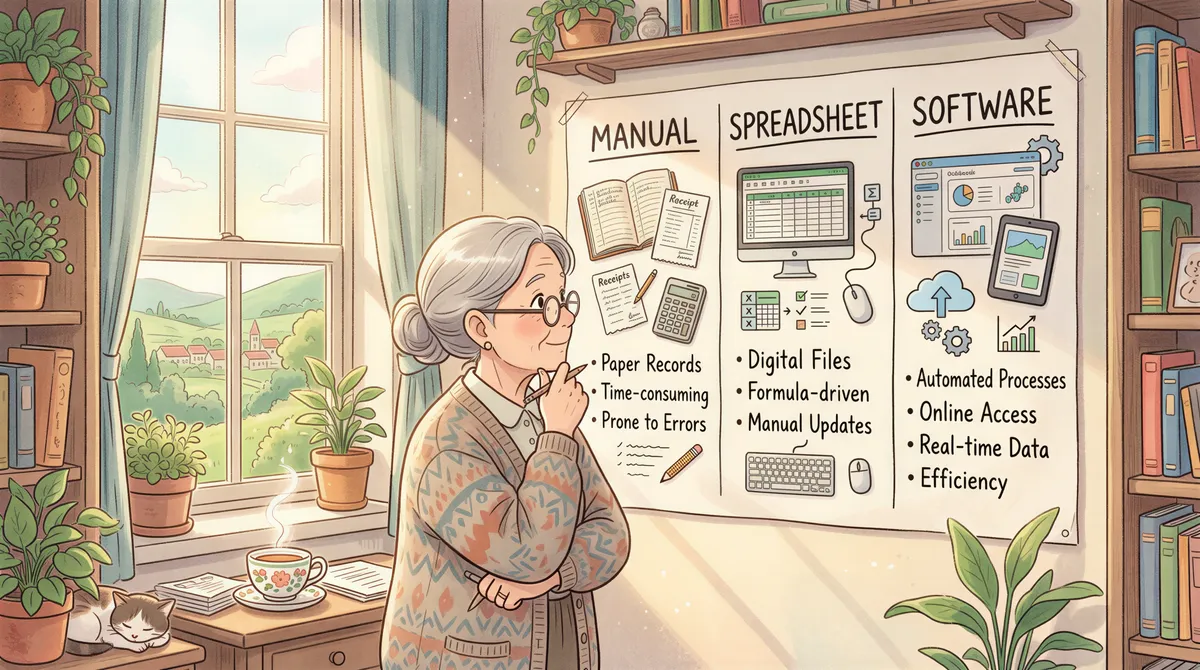
Choosing Your Approach
| Situation | Recommended Approach |
|---|---|
| 1-5 units | Spreadsheet (manual) |
| 5-15 units | Pay Bill + spreadsheet |
| 15-30 units | Pay Bill + basic software |
| 30+ units | Full software automation |
The crossover point is different for everyone. But if reconciliation takes more than 2 hours/month, software pays for itself in time saved.
Setting Up for Success
Whether manual or automated, these practices help:
1. Standardize payment instructions
Give every tenant a card or letter:
- Pay Bill number: [XXX]
- Account number: [Unit]
- Amount: [Rent]
- Due date: [5th]
No ambiguity.
2. Collect alternate phone numbers
At lease signing, ask: "What phone numbers might you pay from?"
Record spouse, family member, or work phone numbers.
3. Assign unique account references
For Pay Bill users: Use unit numbers (A1, B3) or tenant codes.
Consistency makes matching easier.
4. Reconcile early in the month
Don't wait until the 15th. The 6th or 7th gives you time to follow up.
5. Keep historical records
Previous months' payment patterns help identify:
- Consistently late payers
- Tenants with multiple phone numbers
- Partial payment habits

When Reconciliation Reveals Problems
Sometimes the numbers don't add up:
Missing payments:
- Tenant claims payment but you don't see it
- Request transaction ID/screenshot
- Check both Pay Bill and personal M-Pesa (in case they sent to wrong number)
Duplicate payments:
- Same tenant appears to have paid twice
- Could be catching up on arrears
- Could be a mistake (arrange refund)
Unknown payments:
- Can't match to any tenant
- Could be wrong number (refund after verification)
- Could be new tenant's deposit
Consistent late payers:
- Pattern emerges over months
- Address directly with tenant
- Consider lease terms for future
Sample Monthly Reconciliation Checklist
Use this on the 6th of each month:
- [ ] Download M-Pesa statement (or check software dashboard)
- [ ] Match all payments to tenants
- [ ] Investigate unmatched payments
- [ ] Update tenant balances
- [ ] Send reminders to unpaid tenants
- [ ] Record any partial payments
- [ ] Note late payment patterns
- [ ] Archive this month's records
30 minutes if automated. 2+ hours if manual.
The Bottom Line
Reconciliation is where landlords lose time, money, and sanity.
A good system — whether manual or automated — eliminates the chaos.
The goal: know exactly who has paid, who hasn't, and how much everyone owes. In minutes, not hours.
If you're drowning in M-Pesa messages every month, something needs to change.
Stop the reconciliation headache. KodiSawa auto-matches M-Pesa payments to tenants. See who paid at a glance. Try free for 14 days.
Start Tracking Rent Today
Track every unit, tenant and rent payment in one place. Start your 14-day free trial today.
Pay Bill and Buy Goods integration built in
Manage all your properties from one dashboard
Tax-ready reports for hassle-free filing