How to Set Up M-Pesa Pay Bill for Rent Collection in Kenya

"Just send to my personal M-Pesa."
That's how most Kenyan landlords start collecting rent. Simple. Direct. Works fine with 2-3 tenants.
Then you scale to 15 units. Now you're scrolling through hundreds of M-Pesa messages, trying to figure out which "JOHN K" paid and which one still owes you.
There's a better way: Pay Bill.
Here's exactly how to set it up.
Table of Contents
- Why Pay Bill Beats Personal M-Pesa
- Pay Bill vs Buy Goods: Which One?
- Pay Bill vs Buy Goods: Which One? (continued)
- Requirements for Pay Bill
- Step-by-Step Application Process
- Costs and Fees
- Configuration Best Practices
- Common Setup Problems
- Transitioning from Personal M-Pesa
- Tracking Payments Without the Chaos
- Security Considerations
- Tax Implications
- Key Takeaways
Why Pay Bill Beats Personal M-Pesa
Before we dive into setup, let's be clear on why you'd bother.
Personal M-Pesa problems:
| Issue | Impact |
|---|---|
| No account reference | Can't tell which unit paid |
| Name variations | "JOHN K" could be 3 different tenants |
| Mixed transactions | Personal money mixed with rent |
| Hard to reconcile | Hours scrolling through messages |
| No statements | Manual record-keeping required |
Pay Bill advantages:
| Feature | Benefit |
|---|---|
| Account reference field | Tenant enters unit number (A1, B3, etc.) |
| Separate from personal | Business money in business account |
| Automatic statements | Daily/monthly reconciliation reports |
| Bank integration | Funds settle to your business account |
| Professional image | Tenants see business name, not personal |
The account reference field alone is worth the setup effort. Tenants enter "A1" when paying. Your statement shows payment from A1. No guessing.

Pay Bill vs Buy Goods: Which One?
Safaricom offers two business payment options:
Pay Bill:
- Funds settle to bank account
- Account reference field (crucial for tracking)
- Daily settlement (or on-demand)
- KES 1,000 monthly fee (some banks waive this)
- KYC requirements more stringent
Buy Goods (Till):
- Funds stay in M-Pesa wallet
- No account reference field
- Instant settlement to wallet
- Lower/no monthly fees
- Easier to get
For rent collection, Pay Bill is better because of the account reference. We compared them in detail here.
If you're collecting from more than 5 units, the reconciliation headaches of Buy Goods will cost you more than the Pay Bill fees.
Pay Bill vs Buy Goods: Which One? (continued)
(No image here; content continues as in original.)
Requirements for Pay Bill
Before applying, gather these documents:
For Individuals (Sole Proprietor)
- National ID (original for verification)
- KRA PIN certificate
- Business registration certificate (if operating under business name)
- 3 months bank statements
- Passport photo
- Proof of address (utility bill or bank statement)
For Companies (Limited)
- Certificate of incorporation
- CR12 (company details)
- KRA PIN certificate (company)
- Board resolution authorizing application
- Directors' IDs and KRA PINs
- Company bank account statements (3 months)
- Memorandum and Articles of Association
Bank Account Requirements
You need a business bank account linked to Pay Bill. Personal accounts won't work.
Popular options:
- Equity Bank Business Account
- KCB Business Account
- Cooperative Bank Business Account
- NCBA Business Account
Most banks offer free business accounts if you maintain minimum balance. Ask about Paybill fee waivers — some banks waive the KES 1,000 monthly Safaricom fee.
Step-by-Step Application Process
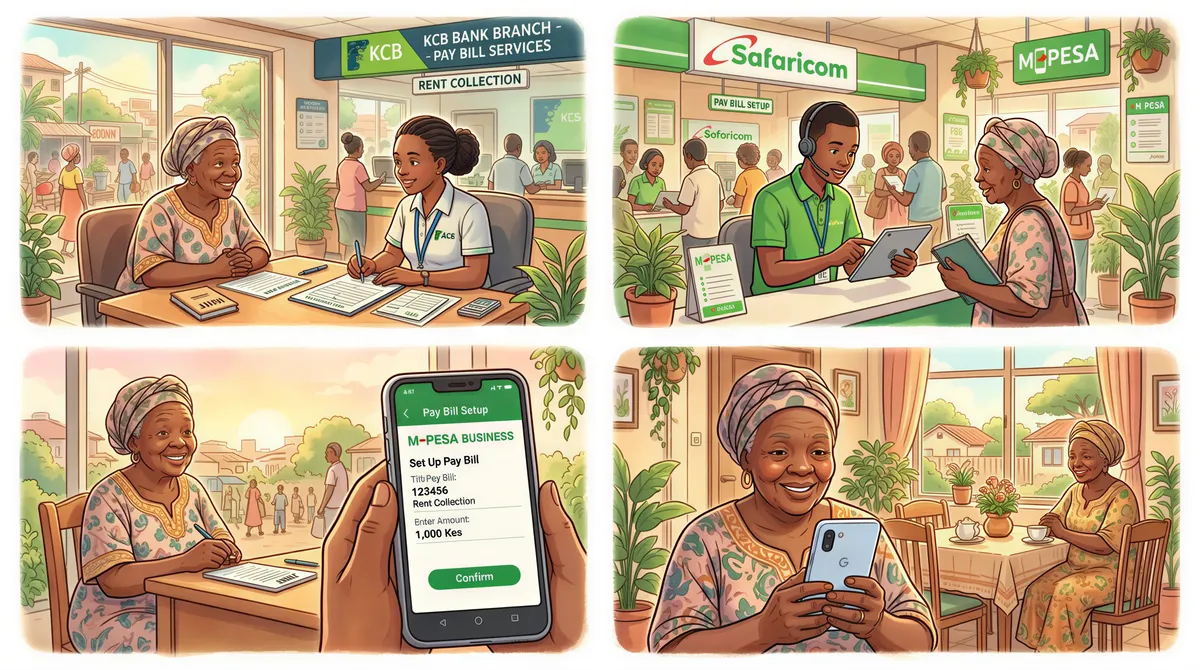
Option 1: Through Your Bank
The easiest route. Most banks have dedicated M-Pesa integration desks.
Process:
-
Visit your bank branch — Go to business banking or M-Pesa desk
-
Request Pay Bill application — They'll provide forms and requirements list
-
Submit documents — Bank verifies and forwards to Safaricom
-
Pay fees — Usually KES 3,000-5,000 one-time setup fee
-
Wait for approval — 5-10 business days typically
-
Receive Pay Bill number — Bank notifies you when active
Advantages of bank route:
- Bank handles Safaricom liaison
- Faster processing (existing relationship)
- Technical support available
- Often waived monthly fees
Option 2: Direct Through Safaricom
For landlords who prefer going direct:
Process:
-
Visit Safaricom Business Center — Major centers in CBD, Westlands, Karen
-
Request Pay Bill application — Get the business application forms
-
Submit documents — All requirements listed above
-
Complete KYC verification — May require site visit
-
Pay setup fee — KES 3,000-5,000
-
Wait for activation — 7-14 business days
-
Configure settlement — Link to your bank account
When to go direct:
- Bank doesn't offer Pay Bill integration
- You want specific configuration options
- Corporate structure is complex
Option 3: Through M-Pesa Business App
For smaller operations, Safaricom's app works:
- Download M-Pesa Business app
- Register your business
- Apply for Pay Bill through app
- Submit documents digitally
- Complete verification
- Receive Pay Bill number
This works but has limitations for high-volume rent collection.
Costs and Fees
Understand what you're paying:
| Fee Type | Amount | Frequency |
|---|---|---|
| Setup fee | KES 3,000-5,000 | One-time |
| Monthly fee | KES 1,000 | Monthly (often waived by bank) |
| Transaction fee | 0% on receive | Per transaction |
| Withdrawal fee | Varies | When moving to bank |
Good news: Receiving payments via Pay Bill is free. The sender pays (tenant pays about KES 33 for a KES 25,000 transaction).
The math:
- 10 units × KES 25,000 rent = KES 250,000/month
- Monthly Pay Bill fee: KES 1,000 (if not waived)
- Effective cost: 0.4% of rent collected
Compare that to hours saved on reconciliation.

Configuration Best Practices
Once you have your Pay Bill number:
Set Clear Account Reference Format
Tell tenants exactly what to enter:
Simple: Unit number (A1, B3, 104) With property: Property initial + unit (S-A1 for Sunrise Apartments A1)
Whatever you choose, be consistent and communicate clearly.
Create Payment Instructions Card
Give every tenant a card or paper with:
Laminate it. Stick it on their fridge. Text it monthly.
Set Up Notifications
Configure SMS/email notifications for:
- Every payment received
- Daily summary
- Low settlement threshold
Real-time notifications let you know instantly when rent comes in.
Common Setup Problems
"Application was rejected"
Usually means:
- Documents incomplete
- Business not registered
- Bank account issues
- KRA PIN discrepancies
Fix: Get specific rejection reason, address it, reapply.
"Pay Bill takes too long to approve"
Standard timeline is 1-2 weeks. If longer:
- Follow up with bank/Safaricom weekly
- Ask for escalation if beyond 3 weeks
- Consider alternative bank if stuck
"Tenants say they can't find my Pay Bill"
New Pay Bill numbers can take 24-48 hours to propagate. Also check:
- Is the number active?
- Are they entering it correctly?
- Is it showing in Safaricom's system?
Transitioning from Personal M-Pesa
Already collecting rent on personal M-Pesa? Here's how to switch:
1. Get Pay Bill set up first — Don't communicate change until it works
2. Notify tenants in advance — Give 1-2 weeks notice
3. Provide clear instructions — Print payment cards
4. Be patient — Some tenants will send to old number initially
5. Remind non-compliant tenants — "Please use the new Pay Bill for next month"
6. Don't reject personal payments initially — Accept but remind
Within 2-3 months, everyone should be on the new system.
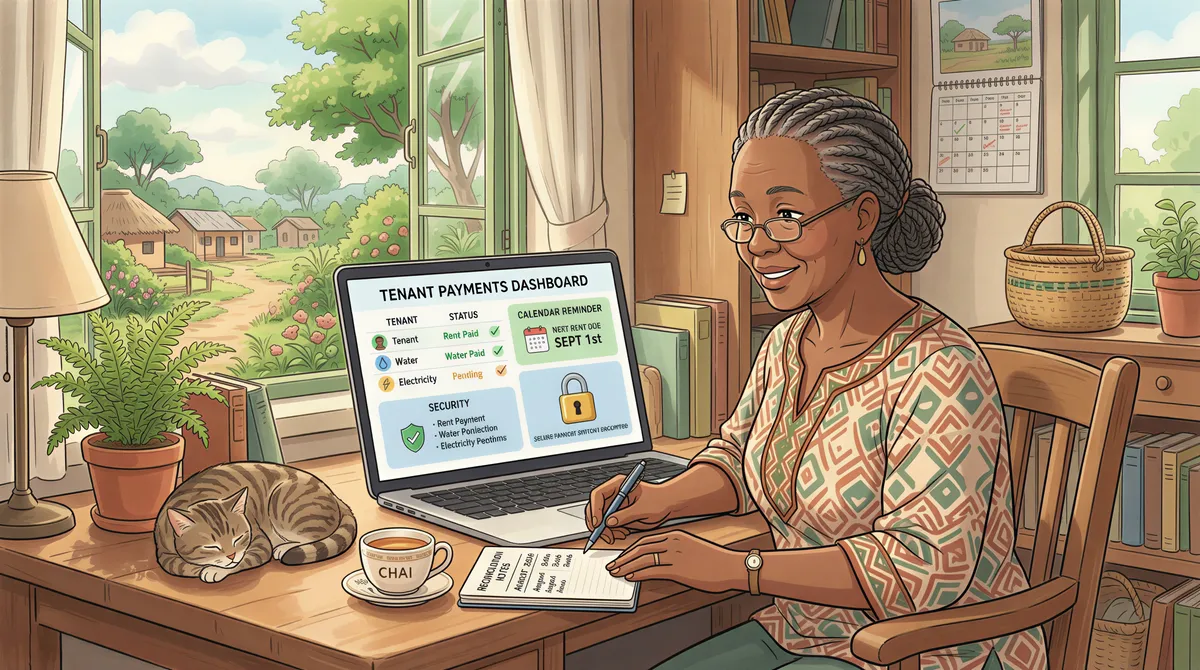
Tracking Payments Without the Chaos
Having Pay Bill is step one. Reconciling payments efficiently is step two.
Manual approach:
- Download daily statements from bank portal
- Match account references to tenant list
- Update your spreadsheet
- Follow up on missing payments
Automated approach: Property management software connects to your Pay Bill and:
- Matches payments to tenants automatically
- Updates balances in real-time
- Flags unmatched or partial payments
- Generates reconciliation reports
The choice depends on your portfolio size. Under 10 units, manual works. Above 20, automation pays for itself.
Security Considerations
Protect your Pay Bill:
Do:
- Keep settlement account separate from operational accounts
- Enable transaction notifications
- Review daily statements
- Use strong passwords on banking apps
- Restrict who knows the shortcode internally
Don't:
- Share PIN with anyone
- Use public WiFi for banking
- Ignore unexpected transactions
- Delay investigating discrepancies
M-Pesa fraud exists. Landlords with published Pay Bill numbers are targets. Stay vigilant.
Tax Implications
Pay Bill creates clear records — which KRA loves.
Benefits:
- Automatic paper trail for all income
- Easier rental income tax reporting
- Bank statements as proof during audits
- Professional documentation
Considerations:
- All income is now formally recorded
- No "off the books" collections
- Ensure you're filing MRI or regular returns
If you're not already tax compliant, getting Pay Bill should coincide with getting tax compliant. The paper trail makes hiding income essentially impossible.
Key Takeaways
- Pay Bill beats personal M-Pesa — Account reference eliminates guessing
- Apply through your bank — Faster, often cheaper
- Budget KES 3,000-5,000 — One-time setup, monthly may be waived
- Standardize account references — Consistent format for all units
- Create payment instruction cards — Every tenant gets one
- Plan the transition — Don't rush existing tenants
- Consider automation — Pay Bill + software = minimal reconciliation
The setup takes a few weeks. The time saved lasts forever.
Already have Pay Bill set up? KodiSawa connects directly to your M-Pesa and automatically matches payments to tenants. No more manual reconciliation. Try free for 14 days.
Start Tracking Rent Today
Track every unit, tenant and rent payment in one place. Start your 14-day free trial today.
Pay Bill and Buy Goods integration built in
Manage all your properties from one dashboard
Tax-ready reports for hassle-free filing